

Getting started
Enable Application Performance Automation and configure the required integrations.
Private Preview FeatureThis feature is in private preview and available to select customers. To request access, provide feedback or book a demo, contact your Cast AI Account Manager.
This guide walks you through enabling Application Performance Automation (APA) and configuring the integrations required to run your first runbook.
By the end of this guide, you will have:
- Enabled APA on at least one cluster
- Registered an AI provider
- Connected a Git repository
Before you start
To complete this guide, you need:
- A cluster connected to Cast AI
- An API key from a supported AI provider (OpenAI, Anthropic, or Google Gemini)
- A personal access token for GitHub or GitLab with the required permissions:
| Provider | Required permissions |
|---|---|
| GitHub | read:discussion, read:org, repo |
| GitLab | api, write_repository |
Enable APA on a cluster
APA must be enabled on each cluster where you want to run runbooks.
-
In the Cast AI console, navigate to APA > Integrations and select the Clusters tab.
-
Find the cluster you want to enable and click Enable APA, or click Connect cluster to onboard a new cluster.
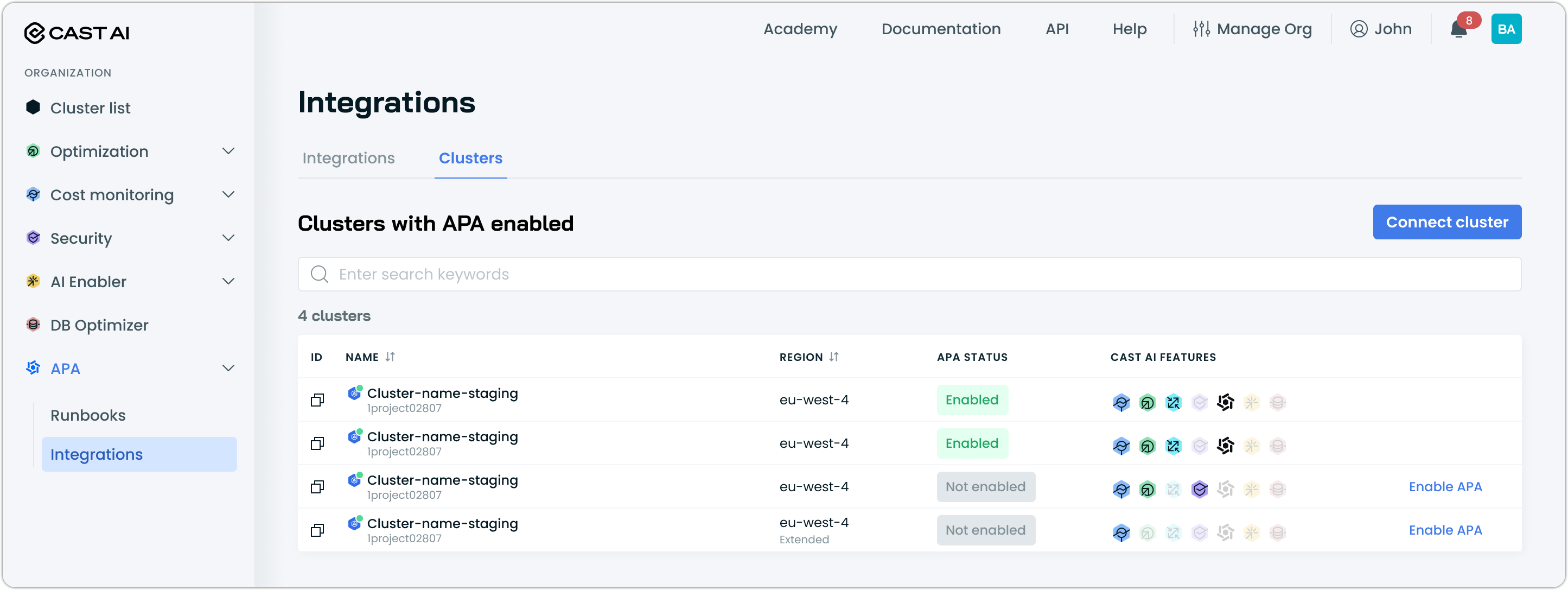
NoteAPA runs on a single cluster but operates org-wide. The cluster you select hosts the APA agent, which can fix images and create PRs for workloads across all clusters in your organization. You only need to enable APA on one cluster.
-
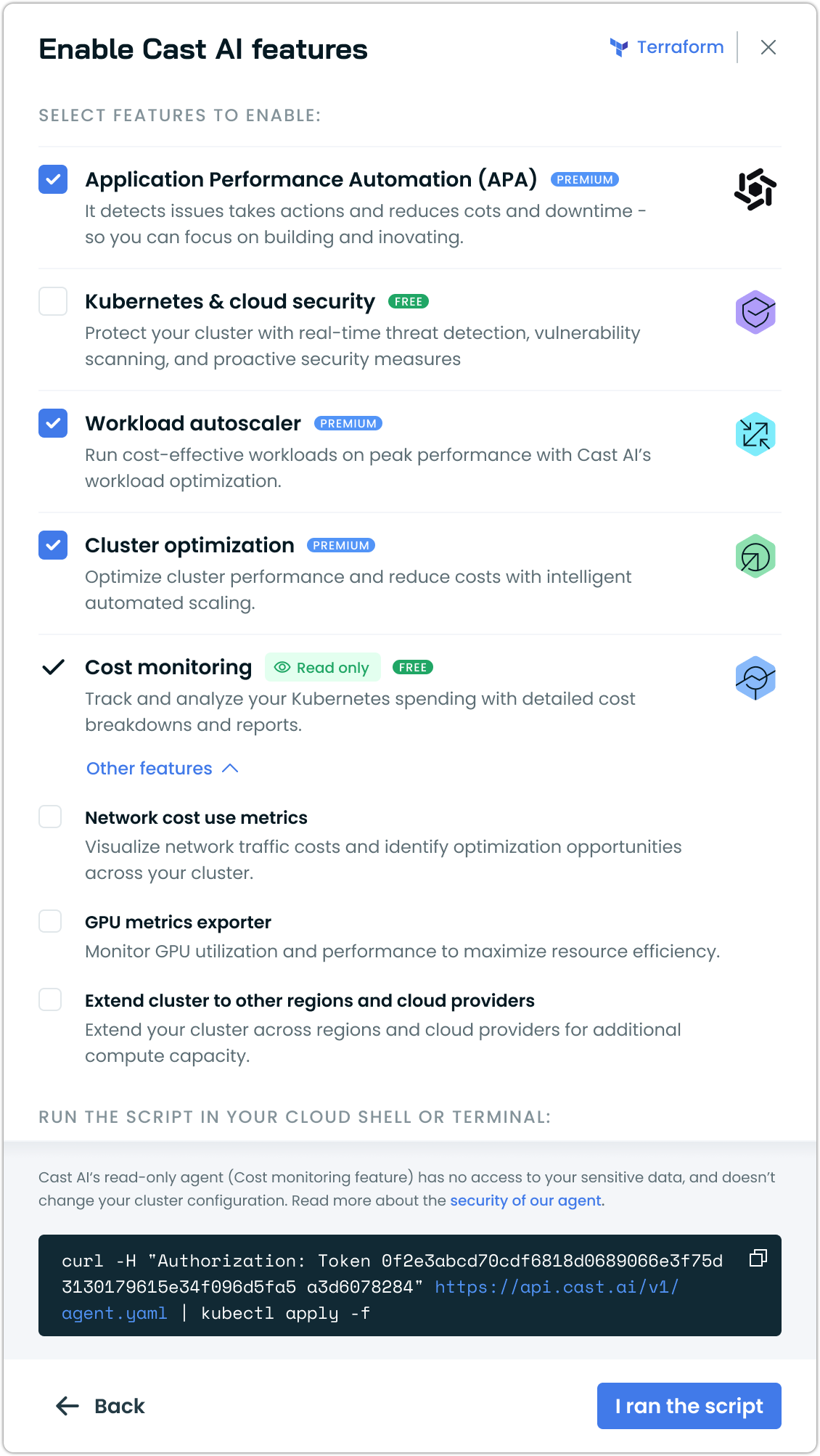
In the feature selection dialog, ensure Application Performance Automation (APA) is selected.
-
Run the provided script in your cluster.
-
Once complete, the cluster appears with an Enabled status in the Clusters tab.
-
Verify that the
castai-apa-runbook-operatorcomponent is running in your cluster:kubectl get pods -n castai-agentYou should see the APA runbook operator among the Cast AI components:
NAME                                                  READY   STATUS    RESTARTS   AGE
castai-agent-77cf954b4-57p9n                          2/2     Running   0          3h11m
castai-apa-runbook-operator-778c68645d-6b6c5          1/1     Running   0          1h36m
...
Register an AI provider
APA agents use AI models to analyze code and generate fixes. You must register at least one provider before configuring runbooks. Supported providers are OpenAI, Anthropic, and Google Gemini.
-
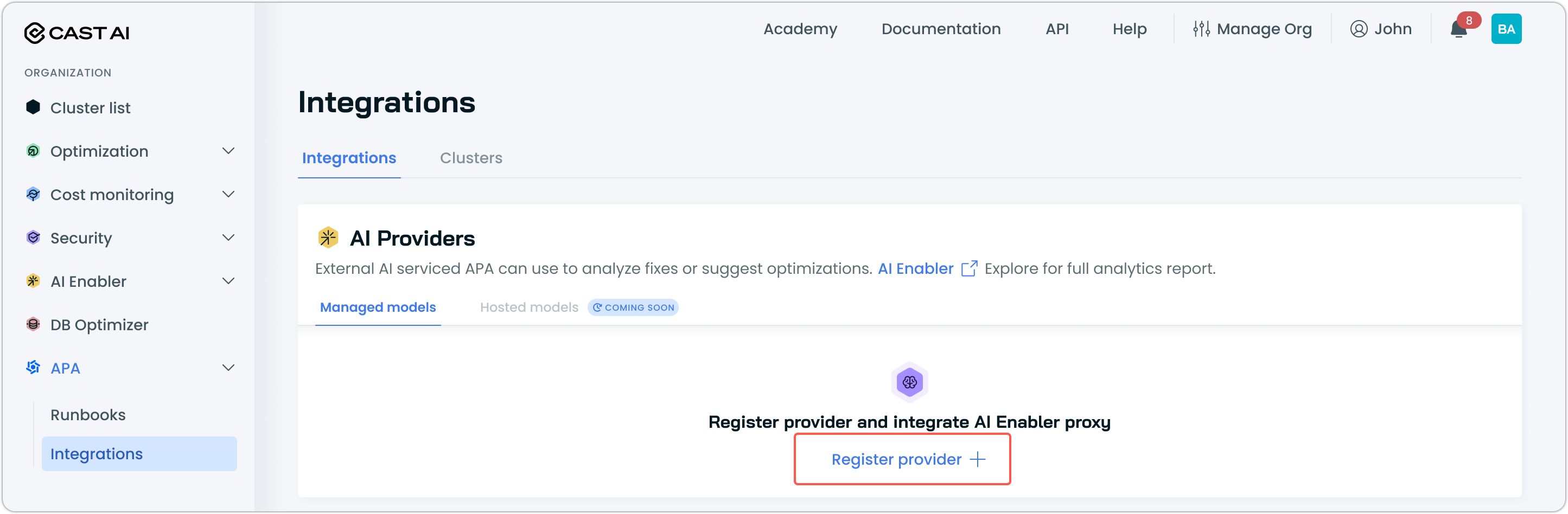
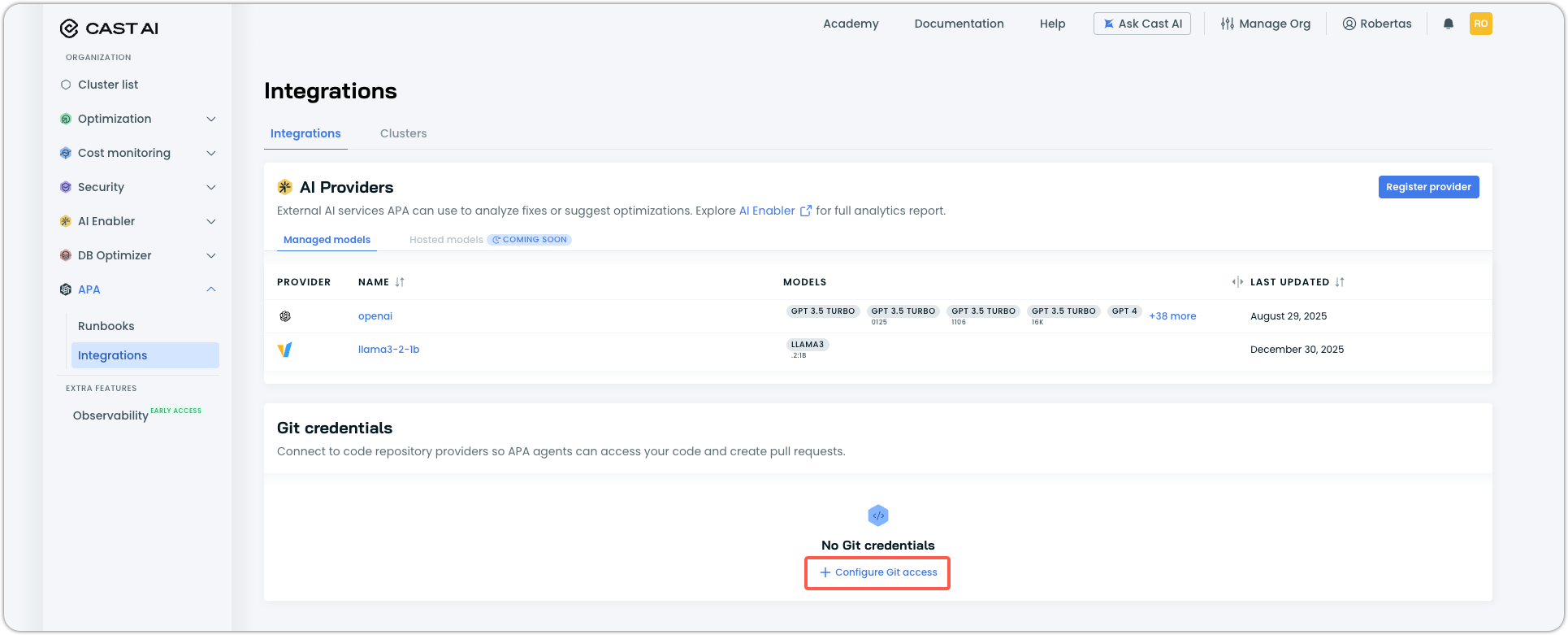
Navigate to APA > Integrations and select the Integrations tab.
-
In the AI Providers section, click Register provider.
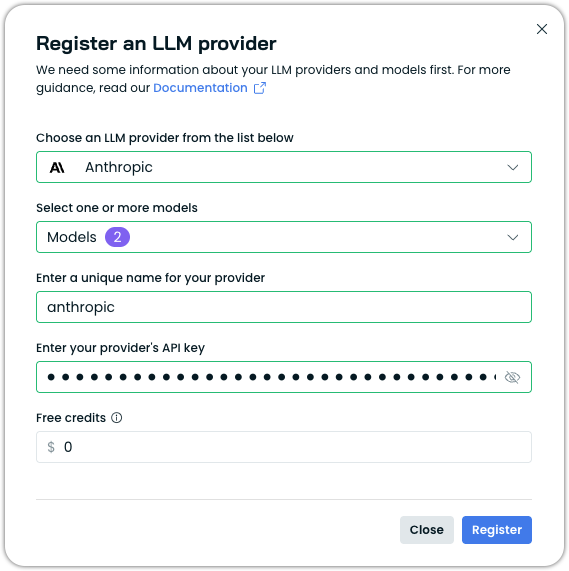
- Complete the registration form:
| Field | Description |
|---|---|
| LLM provider | Select your AI provider. |
| Models | Select one or more models to make available to APA. |
| Provider name | Enter a unique name for this configuration (for example, openai). |
| API key | Enter your provider API key. Cast AI stores only the last 4 characters for reporting. |
| Free credits | (Optional) If your account has free credits, enter the amount to track usage. |
- Click Register provider.
The provider appears in the Managed models table. You can register multiple providers if needed.
Connect a Git repository
APA agents need access to your Git repositories to read source files and create pull requests.
-
In the Integrations tab, locate the Git credentials section, then click Configure Git access.
-
Select your Git provider: GitHub or GitLab.
-
Enter a Credential name to identify this connection (for example,
github-production). -
Choose an authentication method:
Token authentication — Provide a personal access token directly. The token is encrypted and stored securely.
| Field | Description |
|---|---|
| Personal access token | A token with the required permissions (see Before you start). |
Kubernetes secret authentication — Reference a secret stored in your cluster.
| Field | Description |
|---|---|
| Secret name | Name of a secret in the castai-agent namespace containing the token. |
The secret must contain a key named GITHUB_TOKEN (for GitHub) or GITLAB_TOKEN (for GitLab).
- Click Save.
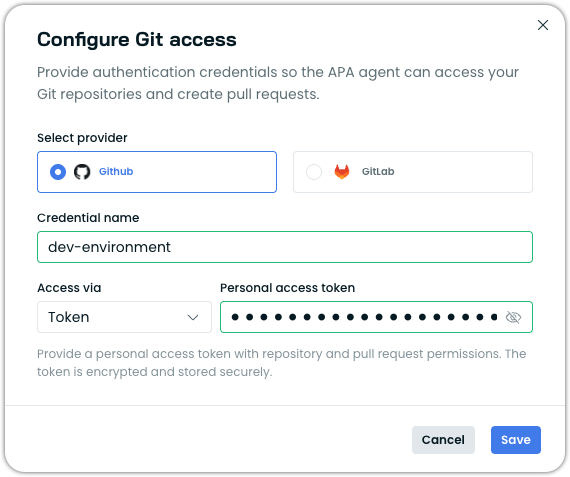
The repository appears in the credentials list with a Connected status.
Next steps
With APA enabled and integrations configured, you're ready to set up your first runbook:
- Fix container image vulnerabilities — Automatically remediate vulnerabilities in your container images
Updated 2 months ago