
Pause DBO for troubleshooting
Overview
This guide explains how to pause and resume DBO to isolate the source of unexpected database performance or stability issues.
When DBO is paused, queries route directly to your database, bypassing all processing and caching. This helps you determine whether an issue originates from DBO or from your database infrastructure. Once you've identified the source, you can resume DBO to restore caching and proxying.
Before you start
Before you pause DBO, ensure:
- DBO is deployed, and your application is connected through the DBO proxy
- You have access to your database's native monitoring tools for comparison
Pause DBO
You can pause DBO from either the Databases list or the instance detail view.
-
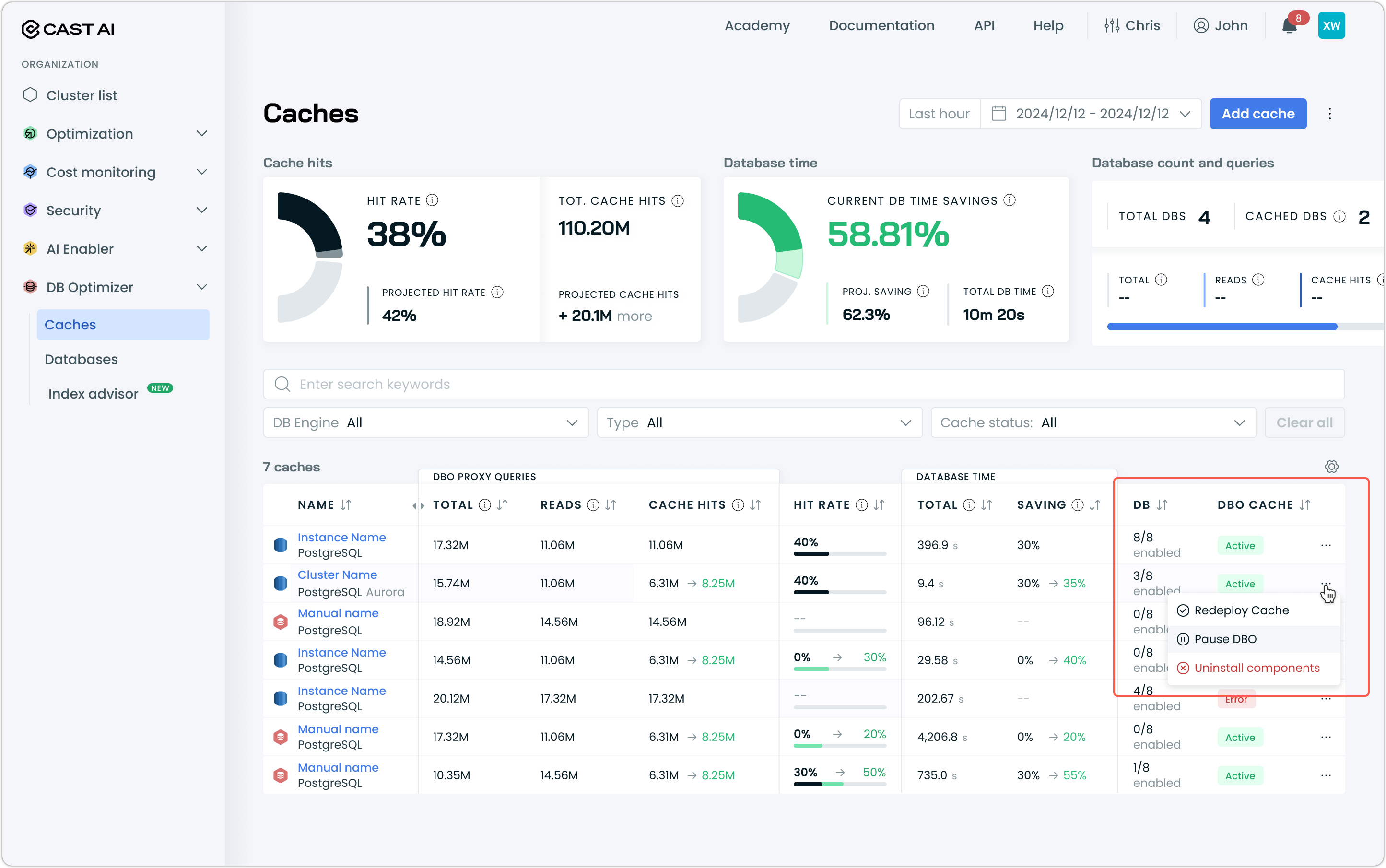
Navigate to DB Optimizer → Caches.
-
Locate the cache group you want to pause.
-
Click the ⋮ menu on the row.
-
Select Pause DBO.
-
Review the confirmation dialog and click Pause.
A notification confirms that DBO is paused. Once DBO applies the necessary configuration changes, the cache status changes to Paused.
Monitor during the paused state
While DBO is paused:
- All queries route directly to your upstream database
- No caching, query analysis, or optimization occurs
- Existing cached data remains intact but is not served
- Status indicators may still reflect recent activity from before the pause
The instance view continues to display historical metrics, allowing you to compare baseline performance against the paused state. Use your database's native monitoring tools alongside DBO metrics to get a complete picture.
NoteCache hit metrics will show zero new hits while paused. Query counts continue to update as traffic flows through to the database.
Resume DBO
Once you've completed your investigation, resume DBO to restore processing and caching.
-
Navigate to DB Optimizer → Databases.
-
Locate the paused cache group.
-
Click the ⋮ menu on the row.
-
Select Resume DBO.
-
Review the confirmation dialog and click Resume.
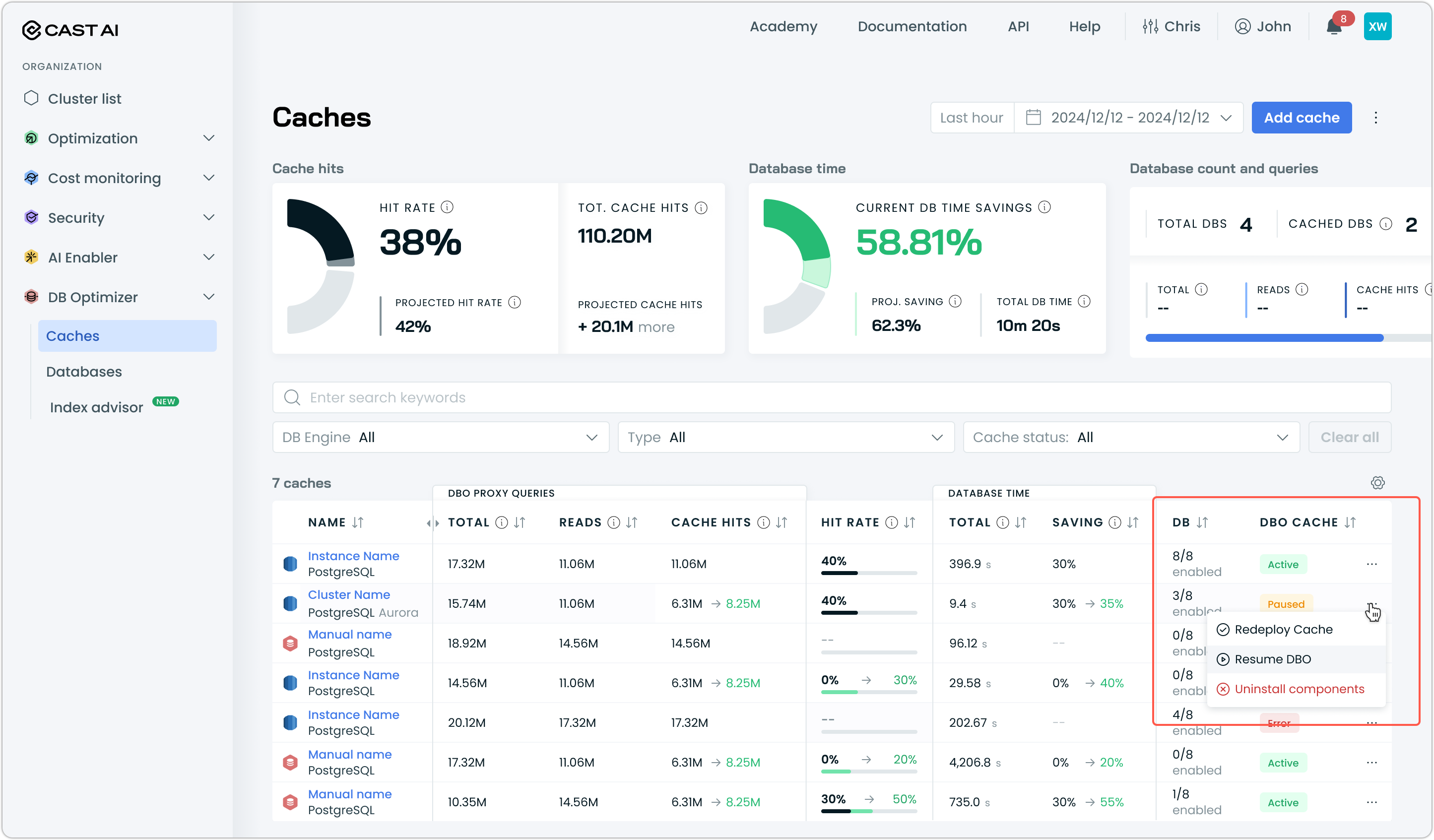
DBO applies the configuration changes and resumes query processing and caching. The status returns to Active.
Troubleshooting workflow
Use the following workflow to isolate performance issues:
-
Observe the issue. Note the symptoms: increased latency, errors, or unexpected behavior.
-
Check DBO metrics. Review the instance details for anomalies in cache hit rate, query patterns, etc.
-
Pause DBO. Route traffic directly to the database.
-
Compare performance. Monitor your application and database with DBO paused.
- If the issue persists, it likely originates from the database or application layer.
- If the issue resolves, investigate DBO configuration or cache behavior.
-
Resume DBO. Restore caching and optimization.
-
Take action. Based on your findings, adjust DBO settings (such as override rules for specific queries) or address the underlying database issue.
See also
- Analyzing database performance — Interpret DBO metrics during troubleshooting
- How does it work? — Configure override rules for specific queries
- Application failover configuration — Set up high availability for your database architecture
Updated 2 months ago