
Rate limits
Rate limits for AI Enabler Model APIs' serverless endpoints, including free tier limits, paid plan limits, and best practices for managing API request volume.
Rate limits control how many requests you can make to AI Enabler Model APIs within a given time period. These limits help maintain service stability and ensure fair access for all users.
Cast AI enforces two types of rate limits on serverless inference endpoints:
Requests per minute (RPM) limits the number of API calls you can make each minute.
Tokens per minute (TPM) limits the total number of input and output tokens processed each minute.
If you exceed either limit, the API returns an HTTP status code 429 Too Many Requests. Your application should implement retry logic with exponential backoff to handle rate limit responses gracefully.
Rate limits by plan
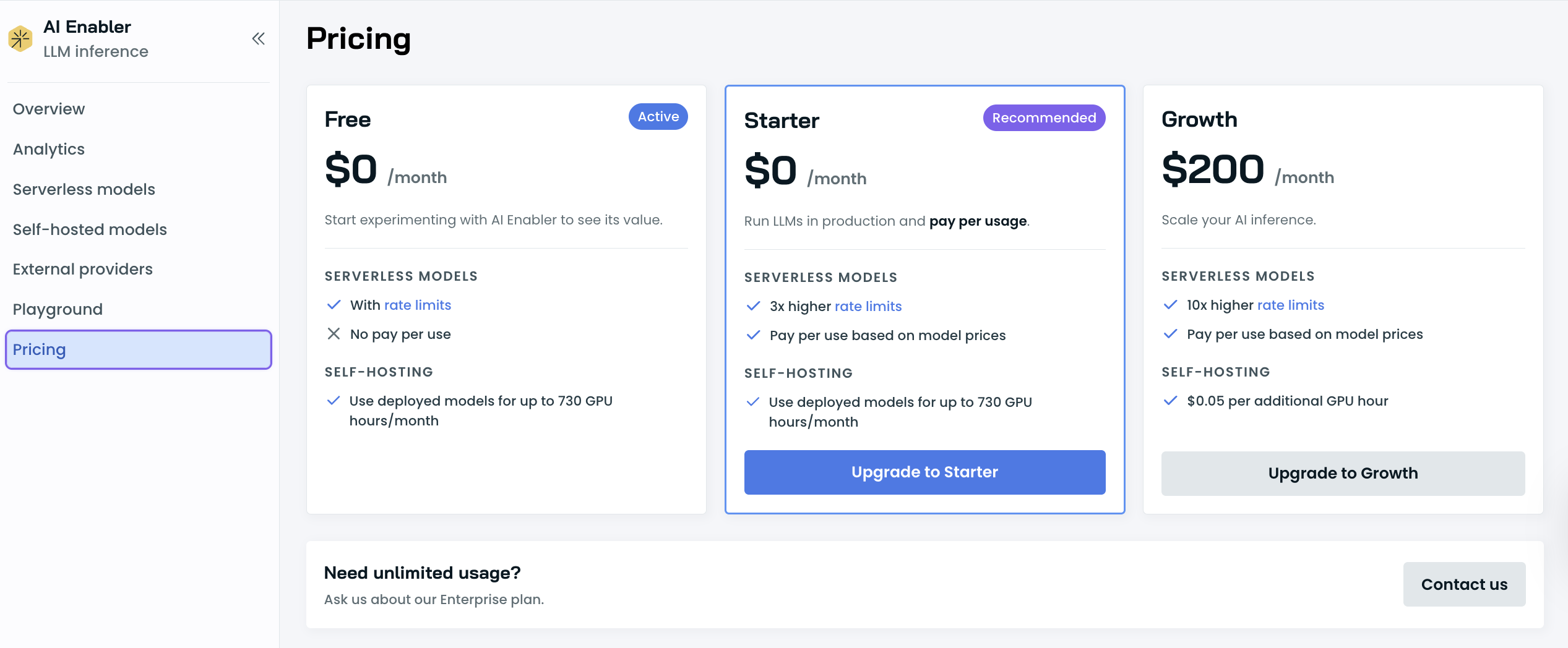
Each plan includes a usage allowance that resets regularly. The number of requests you can make and tokens you can process will vary based on demand, and Cast AI may adjust limits to ensure fair access for all users. You can check your current usage and limits in the Analytics page under AI Enabler in the Cast AI console.
The free tier requires no credit card and gives you access to supported models at no cost within the included usage allowance. Paid plans offer significantly higher limits. For Enterprise plans with custom rate limits, contact our team.
Rate limit responses
When you exceed your rate limit, the API returns an HTTP status code 429 with the following in the response body, as an example:
{"error": "minimax-m2.7 model is rate limited until 2026-02-05T15:32:41Z"}The response includes a Retry-After header indicating how many seconds to wait before retrying:
Retry-After: 5
NoteIf you have multiple providers configured for a model, AI Enabler automatically attempts fallback to other available providers before returning a rate limit error.
Best practices
Respect the Retry-After header. When you receive a 429 response, wait the number of seconds specified in the Retry-After header before retrying.
Monitor your usage. Track your request volume and token consumption in the Analytics page for AI Enabler to better understand your usage patterns and plan capacity accordingly.
Use appropriate model sizes. Smaller models have higher rate limits. Choose the smallest model that meets your quality requirements for each use case.
Upgrading your plan
When you need higher rate limits, you can upgrade your plan:
- Navigate to AI Enabler > Settings > Pricing in the Cast AI console
- Select your desired plan
- Click Upgrade
- Enter your payment information
Rate limit increases take effect immediately after upgrading. For Enterprise plans with custom rate limits, contact our sales team.
NoteIf you're building a high-volume application and need rate limits beyond what's available in standard plans, reach out to discuss Enterprise options before you hit production.
See also
Updated 2 months ago