
Windsurf
This tutorial walks you through configuring Windsurf to use an OpenAI-compatible API to access LLMs hosted by AI Enabler. Because Windsurf does not natively support custom third-party model providers, you'll install the Roo Code extension to route requests through the AI Enabler base URL.
Overview
By the end of this tutorial, you'll be able to:
- Use AI Enabler-hosted models (for example,
glm-5-fp8) inside Windsurf - Route AI requests from Windsurf to Cast AI infrastructure via the Roo Code extension
This tutorial is intended for developers who use Windsurf IDE.
NoteWindsurf's native BYOK (Bring Your Own Key) only supports Anthropic models. To use an OpenAI-compatible endpoint such as AI Enabler, you need the Roo Code extension described in this tutorial.
Prerequisites
Before starting, ensure you have:
-
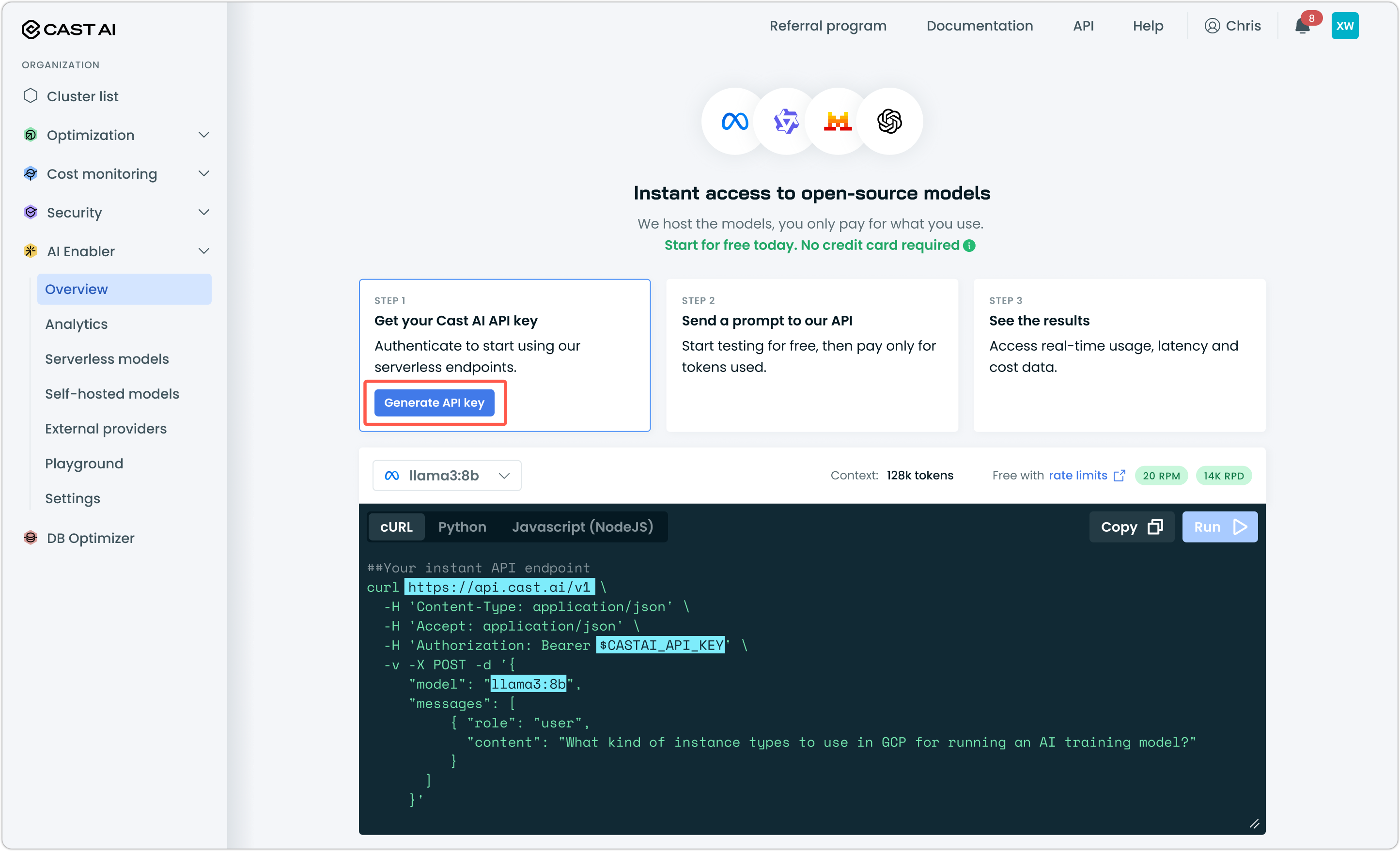
A Cast AI API key — Generate one from the Cast AI console under AI Enabler > Overview
-
Windsurf IDE — Download from windsurf.com
-
Roo Code extension — Install from the Windsurf Marketplace
Step 1: Open the Roo Code panel
In Windsurf, click the Roo Code icon in the Activity Bar (left sidebar).
If this is your first time opening Roo Code, the setup wizard will appear — follow its prompts to proceed to the provider configuration screen. Choose Use without an account.
Step 2: Configure the third-party provider
In the Roo Code Choose a model provider panel:
- Choose 3rd-party Provider from the provider list.
- Set API Provider to
OpenAI Compatible. - Set Base URL to
https://llm.cast.ai/openai/v1. - Set API Key to your Cast AI API key.
- Select
glm-5-fp8model from the list. - Save the configuration.
Your settings should look like this:
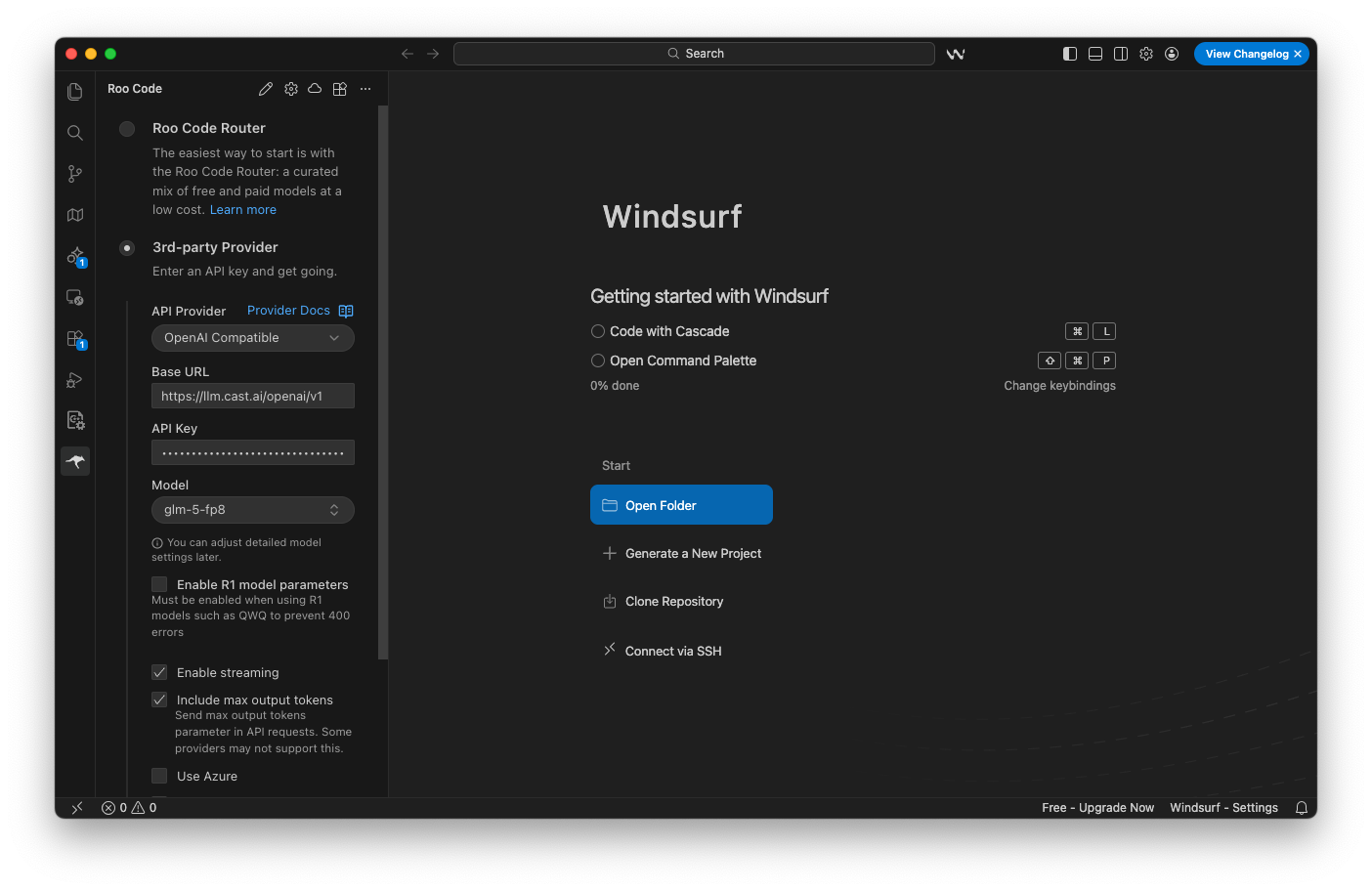
Roo Code LLM Provider Settings — Model glm-5-fp8 selected, API Provider, Base URL and API Key configured
Step 3: Verify your configuration
- Open the Roo Code chat panel.
- Send a test prompt — for example,
Hello. If you receive a response, the connection to AI Enabler is working.