

Auto vs. Manual mode and override rules
Every database whose traffic flows through the proxy (see Connecting client applications) runs in a caching mode that decides what gets cached and for how long. Auto lets the proxy's machine-learning engine make those decisions for you; Off passes queries straight to the database with no caching analysis, which is the mode you use while troubleshooting. (A database that only the Performance Advisor agent monitors, with no proxy installed, has no cache in the path and no mode to set.) This page shows where the mode lives in the console, how the modes differ, and how override rules work.
Where the mode is exposed
You meet the caching mode in three places:
- CACHE MODE: Auto badge: at the top of the database's Caching pages (Overview and Queries), a badge pair reading CACHE MODE followed by the current mode, Auto or Off. Use it to confirm at a glance how the database is running.
- Cache configuration →: the button at the top right of the database's Caching pages. Open it to change the database's cache configuration, including its mode.
- CACHE column: in the per-database table on the instance Caches tab, each row's CACHE control shows that database's current mode and lets you change it without leaving the table.
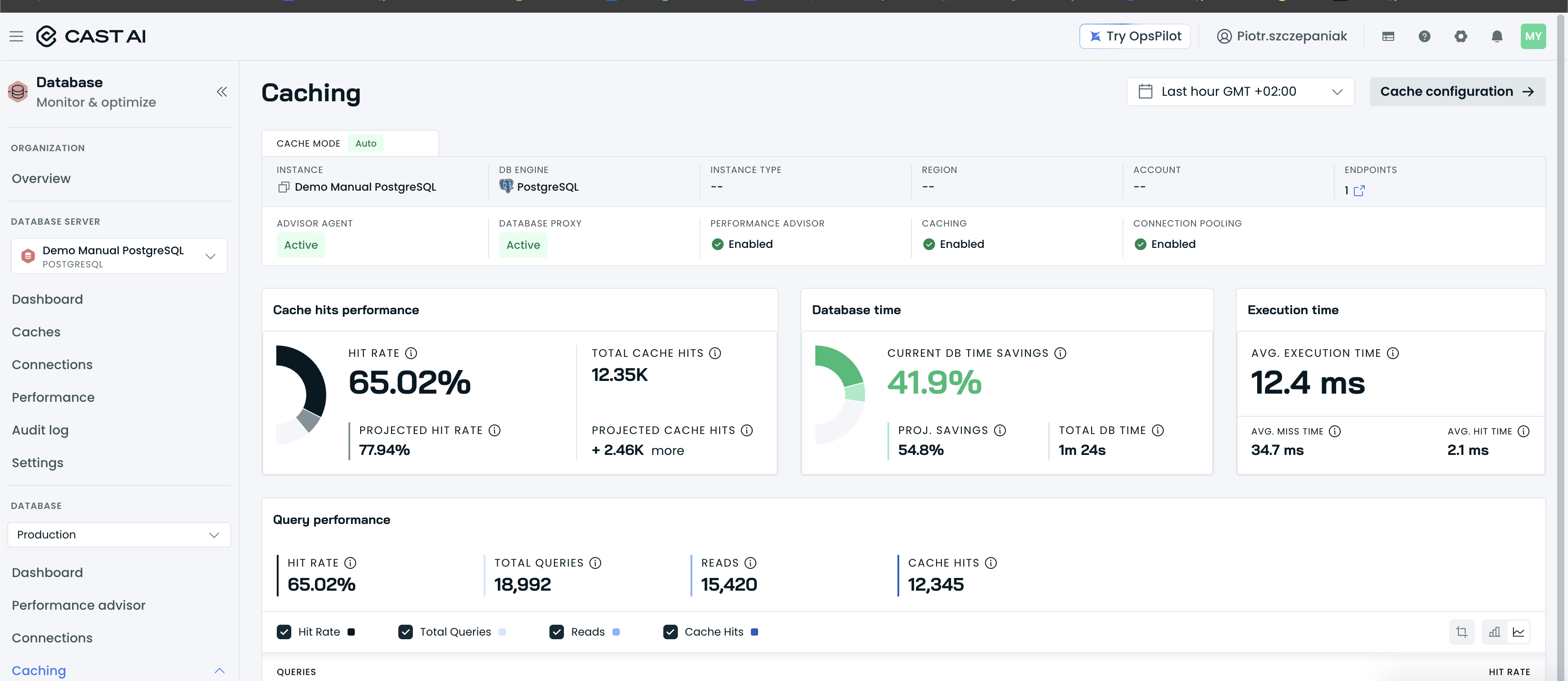
The CACHE MODE: Auto badge pair at the top of a database's Caching pages.
The modes
Getting started covers when each mode applies; the short version:
- Auto (recommended): the machine-learning engine decides which queries to cache and picks a time-to-live for each one, adapting continuously as the workload changes. Queries cached under Auto show a Dynamic TTL MODE badge. Override rules (below) tune the engine's decisions wherever you want different behavior.
- Off: passthrough: the proxy forwards every query straight to the database without caching responses or analyzing the workload. Nothing is cached in this mode, which makes it the right setting when you need to rule the cache in or out while troubleshooting; see Pause DBO for troubleshooting.
Reading TTL and TTL MODE
The Caching → Queries table gives every query template two related columns:
- TTL: the effective time-to-live in force: how long a cached response for that template stays valid before it is refreshed from the database.
- TTL MODE: who controls that value. A Dynamic badge means the engine sets and keeps adjusting the TTL, and the TTL column shows
--because there is no single fixed number. A Fixed TTL badge means an override rule pins the value, and the TTL column shows it (for example,300000 s).
So TTL MODE answers "who chose this?", and TTL answers "how long is it cached?".
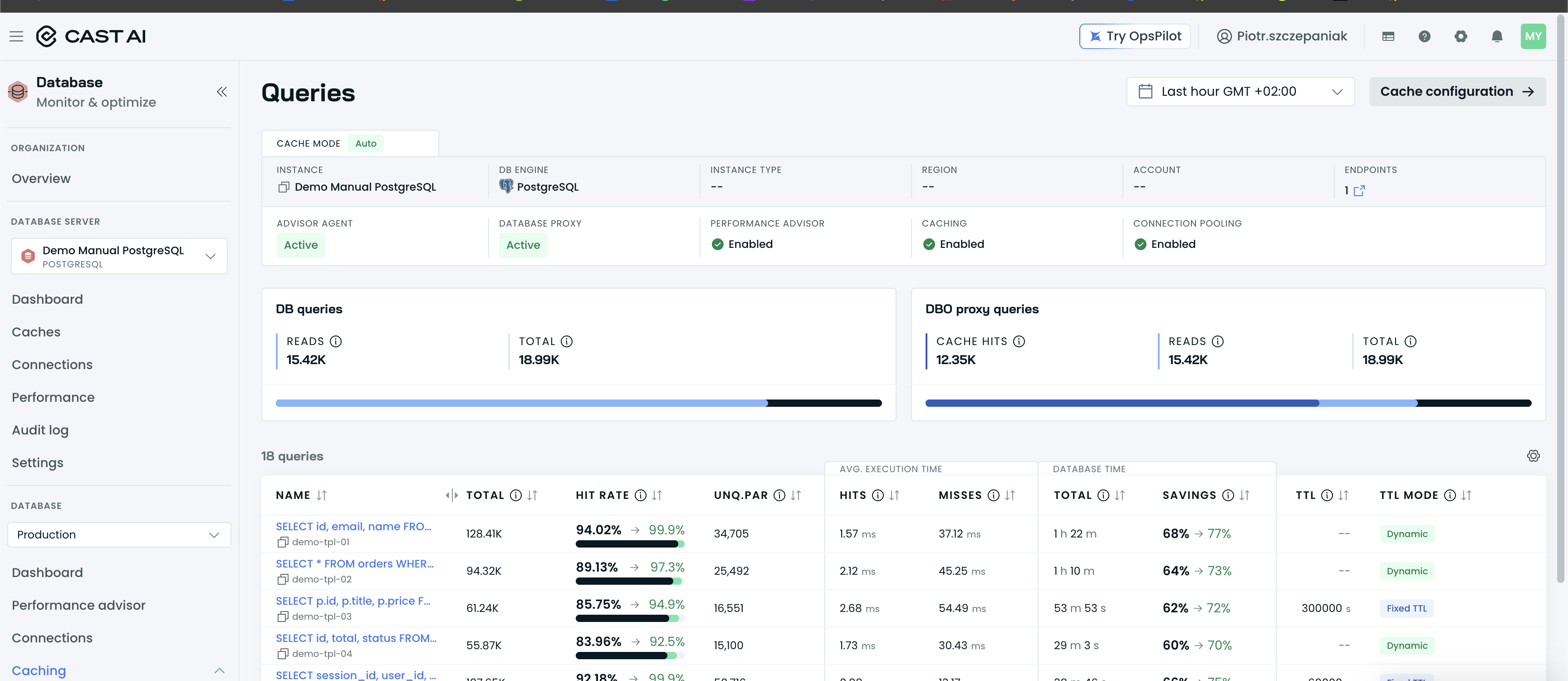
The Caching Queries table's TTL and TTL MODE columns, showing Dynamic and Fixed TTL badges.
Override rules
Open Caching → Rules in a database's navigation to manage override rules. Rules tune how Auto treats a single query or a whole table: each rule sets the caching behavior for its scope, as Fixed TTL (cache with a TTL you specify), Dynamic (let the engine pick the TTL), or Cache Off (never serve that query or table from cache). Everything you don't name stays under the engine's control.
There is no separate "Manual" cache mode. What older material calls Manual mode is Auto with override rules: the engine keeps deciding TTLs for everything your rules do not name.
The Rules page shows a rule count (for example, "5 rules"), a search box ("Enter search keywords (min. 3 characters)") with Clear all, and an + Add table rule button. Each rule row names its target (the table name for table rules, or the query template with its hash for query rules), plus how many override rules are applied on it, a Table rule or Query rule badge, the behavior as a Dynamic, Fixed TTL, or Cache Off badge, and the effective TTL in seconds (TTL: -- seconds when the engine controls it). Click + Add table rule and a CREATE RULE drawer opens: enter the Table to cache under Table configuration, pick the Caching configuration (Fixed TTL to set a specific TTL in seconds, Dynamic for the default behavior in Auto mode where Cast AI determines the optimal TTL, or Caching Off so all responses for the query come from the origin database), and confirm with Save changes.
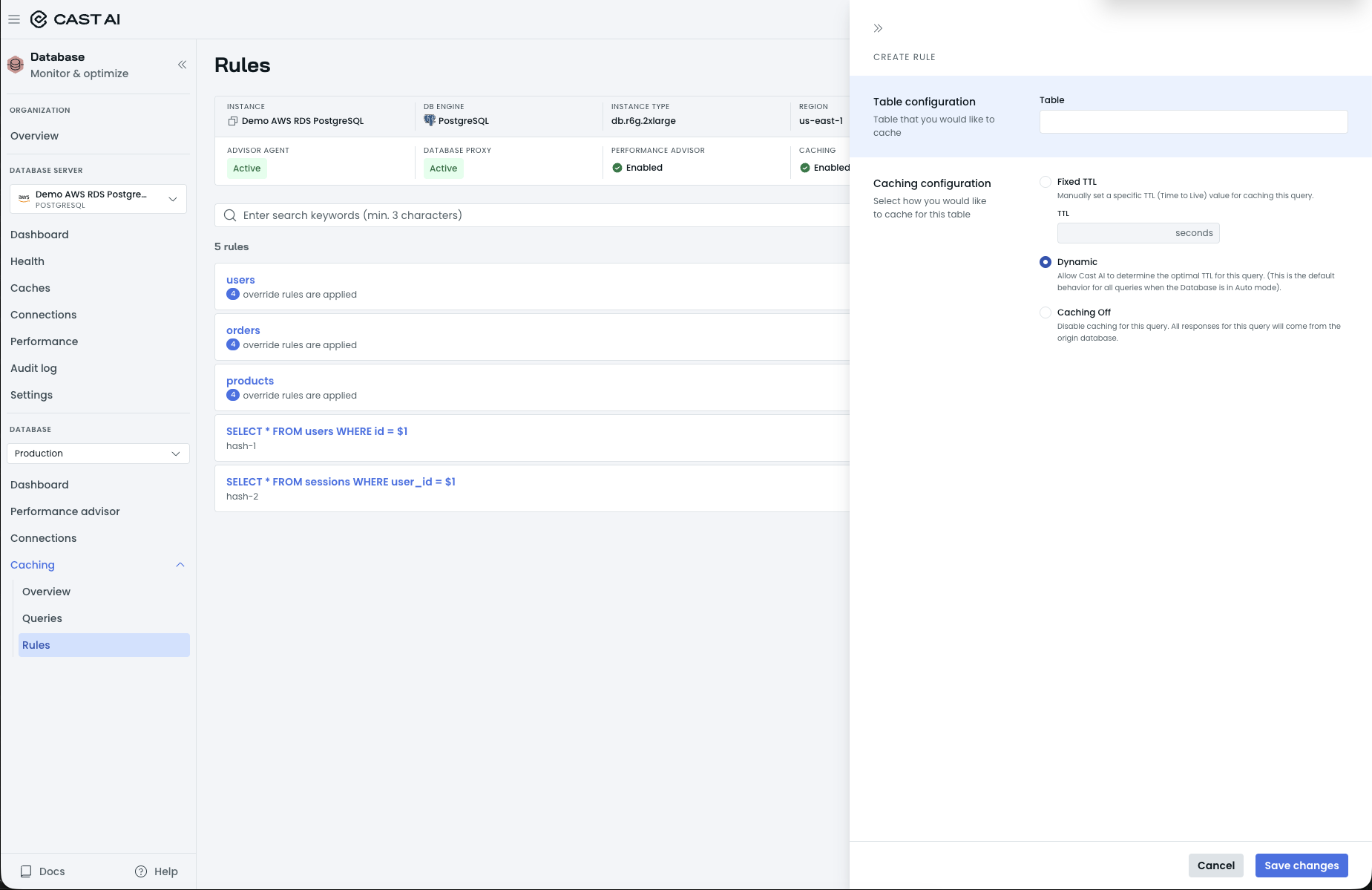
The CREATE RULE drawer, with Table configuration and the Fixed TTL, Dynamic, and Caching Off options.
Typical uses: pin a longer TTL on a hot, slowly changing lookup table; turn caching off for data your application treats as always-fresh; or give a hot query pattern a fixed TTL so its entries refresh on a predictable schedule. A query rule with Fixed TTL shows TTL MODE: Fixed TTL for that query in the Caching → Queries table, with the rule's value in the TTL column.
Next steps
Updated 3 hours ago