

PostgreSQL
The DBO proxy pools PostgreSQL connections through PgDog, a transaction-mode pooler that runs as its own Kubernetes Deployment. This page covers whether your application benefits from pooling and whether it is compatible with transaction-mode multiplexing.
Will your application benefit
Three signals indicate a good candidate:
- Short transactions release connections back to the pool quickly for other clients to reuse. Applications that run only a few slow queries see less benefit.
- A high ratio of idle to total connections means a pooler can absorb idle clients without tying up real database connections.
- Periodic connection spikes well above your typical average (the kind that trigger alerts or force you to raise
max_connections) are handled well: the pooler buffers and queues clients while Postgres sees a stable, capped connection count.
Check these signals on the instance Connections tab (see Connection pooling): the Client connections card shows Total, Active, and Idle counts, and the Database connections card shows the Reduction achieved (APP → DBO vs DBO → DB). The per-database table repeats these metrics, and the database-level Connections tab filters them by Database user.
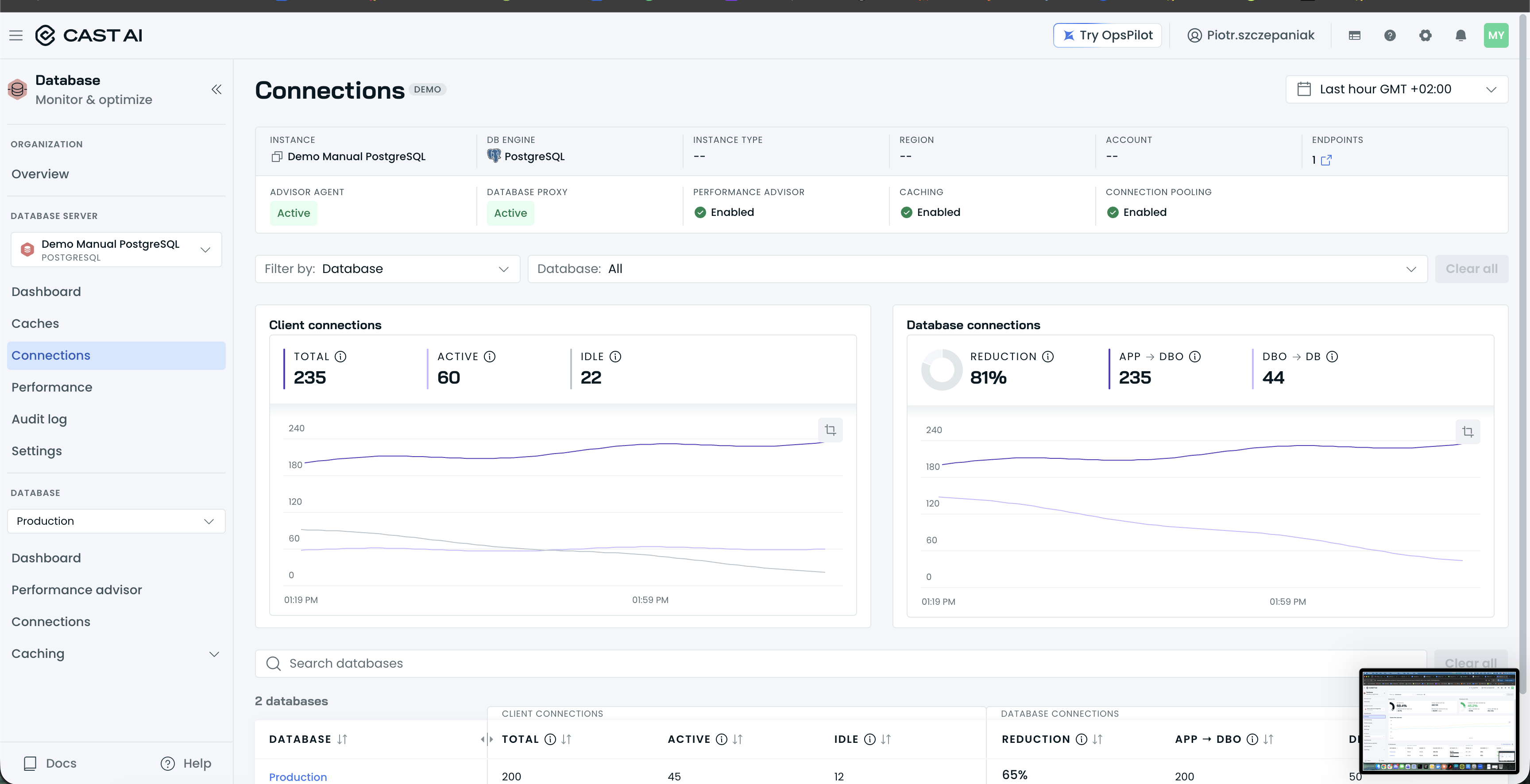
The instance Connections tab's Client connections card, showing Total, Active, and Idle counts.
At database scope, the same two cards tell you which application users hold the connections:
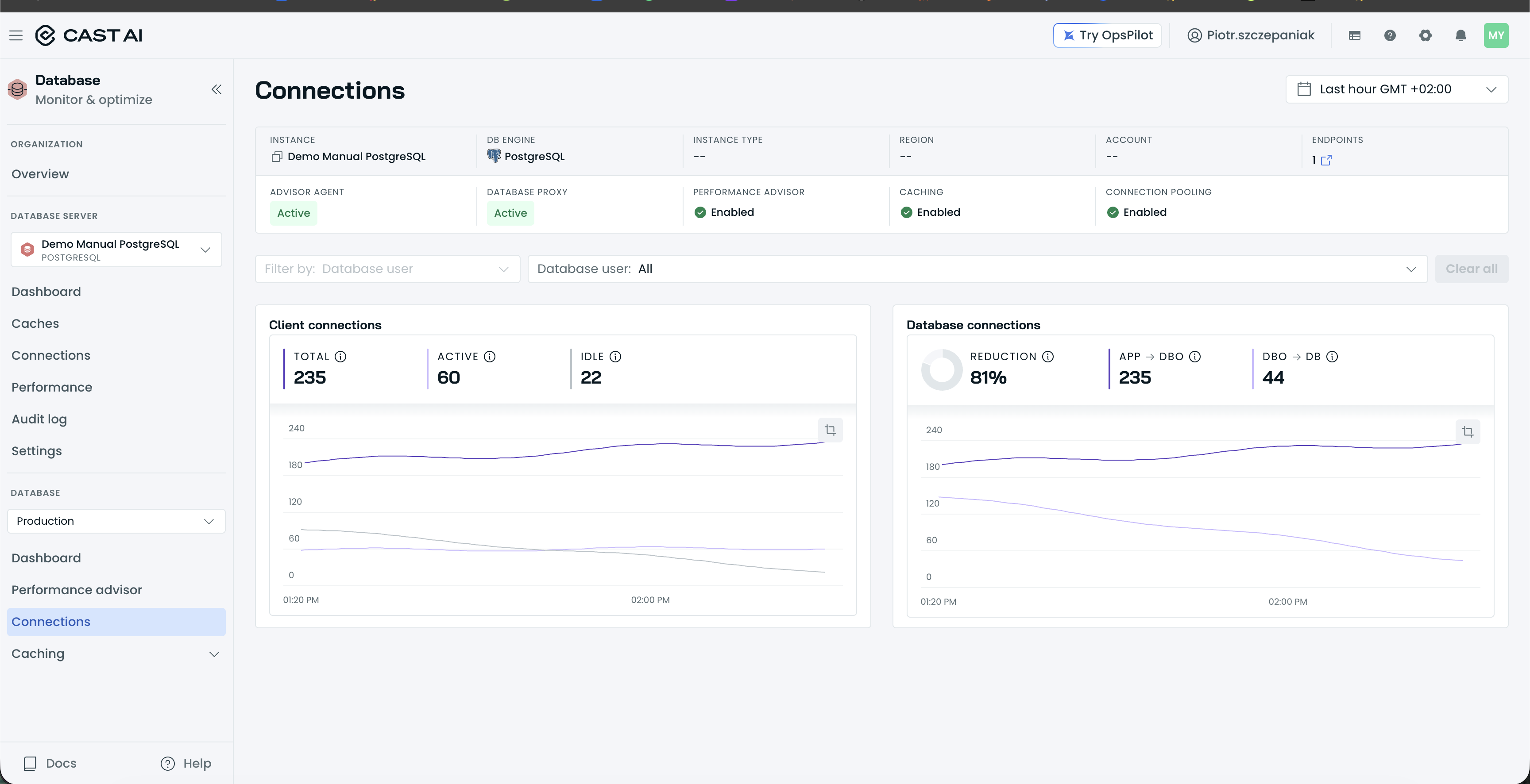
The database-level Connections tab, with the Client connections and Database connections cards and the Database user filter.
Compatibility
Transaction-mode pooling assigns a database connection to a client only for the duration of a single transaction. Current PgDog closes most of the gaps older transaction-mode poolers were known for:
- LISTEN / NOTIFY: supported.
- Session state modifiers (
SET search_path,SET ROLE,SET timezone,SET statement_timeout,SET application_name,SET LOCALoutside an explicitBEGIN): session-level state does not persist across transactions under transaction-mode pooling, so apply session state per transaction where your application allows it. If your application depends on session state spanning transactions, validate that behavior against pooling before you enable it.
Anything else your application relies on at the session level, for example temporary tables or advisory locks that must outlive a single transaction, deserves the same quick validation before you enable pooling.
Who configures the pooler
Mostly DBO. DBO manages the PgDog configuration for you, including options such as heartbeats, but one setting is yours: the pool size. The default pool size acts as the effective max_connections setting for your database and defaults to 10, which is impractical for most databases. Set it to match what your database can actually handle before you enable pooling (see Connection pooling).
Next steps
Updated 3 hours ago