

Connection Pooling Overview
Connection pooling reuses database connections instead of opening new ones, cutting connection overhead and helping your databases scale. It runs through the DBO Database proxy: your applications open client connections to a DBO proxy endpoint, and a dedicated pooler, deployed as its own Kubernetes Deployment, multiplexes them onto a much smaller number of real database connections. On a healthy instance the effect is dramatic: 235 client connections (APP → DBO) can be served by 44 database connections (DBO → DB), an 81% Reduction.
Where you see pooling results
Organization overview. The Connection pooling card shows the total reduction achieved across your fleet (for example, 55% "reduction across 5 instances"), plus a TOP CANDIDATES list of instances ranked by IDLE connections, since idle connections are what a pooler absorbs first.
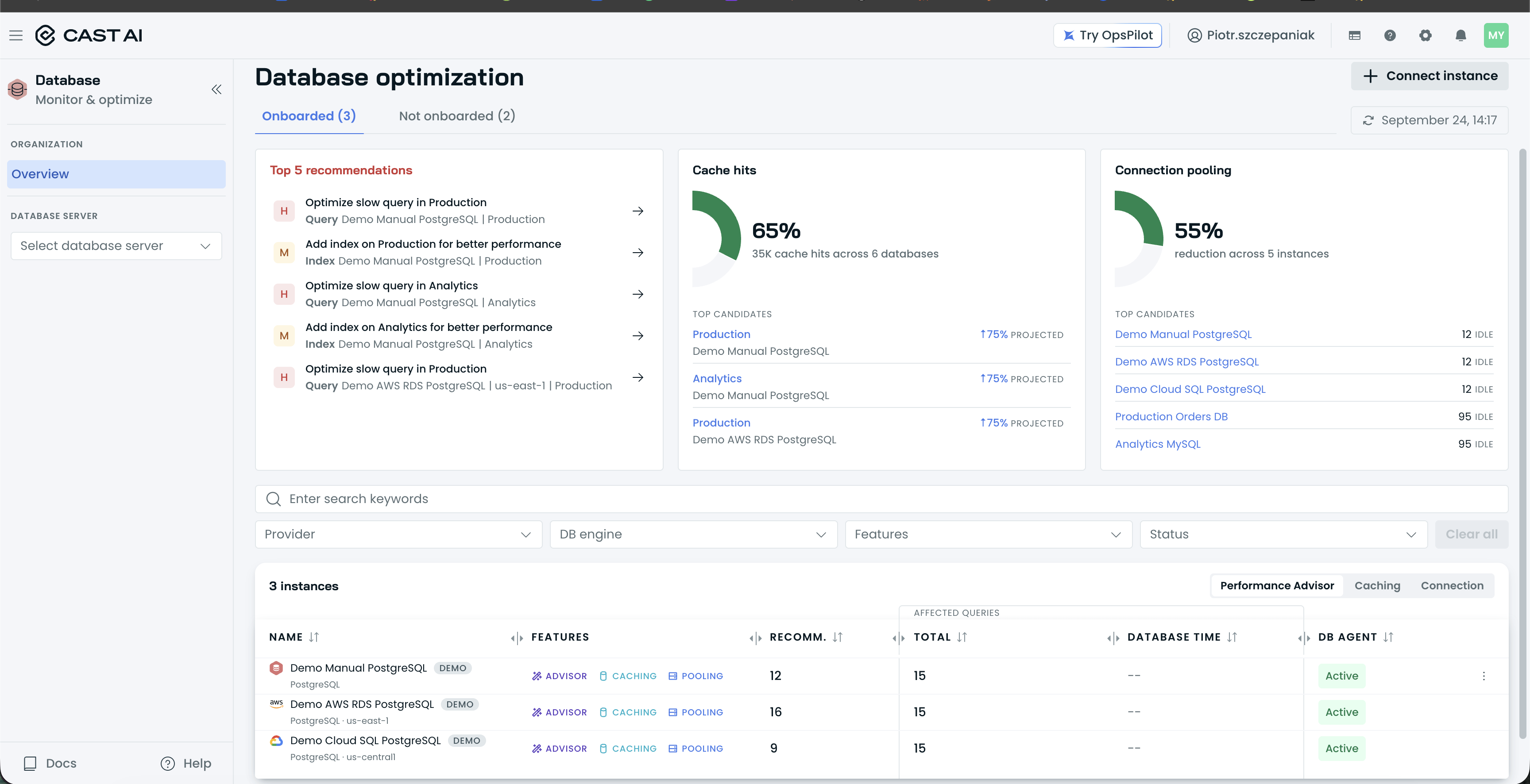
The organization Overview's Connection pooling card, with its TOP CANDIDATES list.
Instance Connections tab. Two cards summarize the flow for the selected period, with Filter by: Database to scope them:
- Client connections: Total, Active, and Idle counts (for example, Total 235, Active 60, Idle 22) with a chart.
- Database connections: the Reduction percentage (for example, 81%) with APP → DBO and DBO → DB counts and a chart.
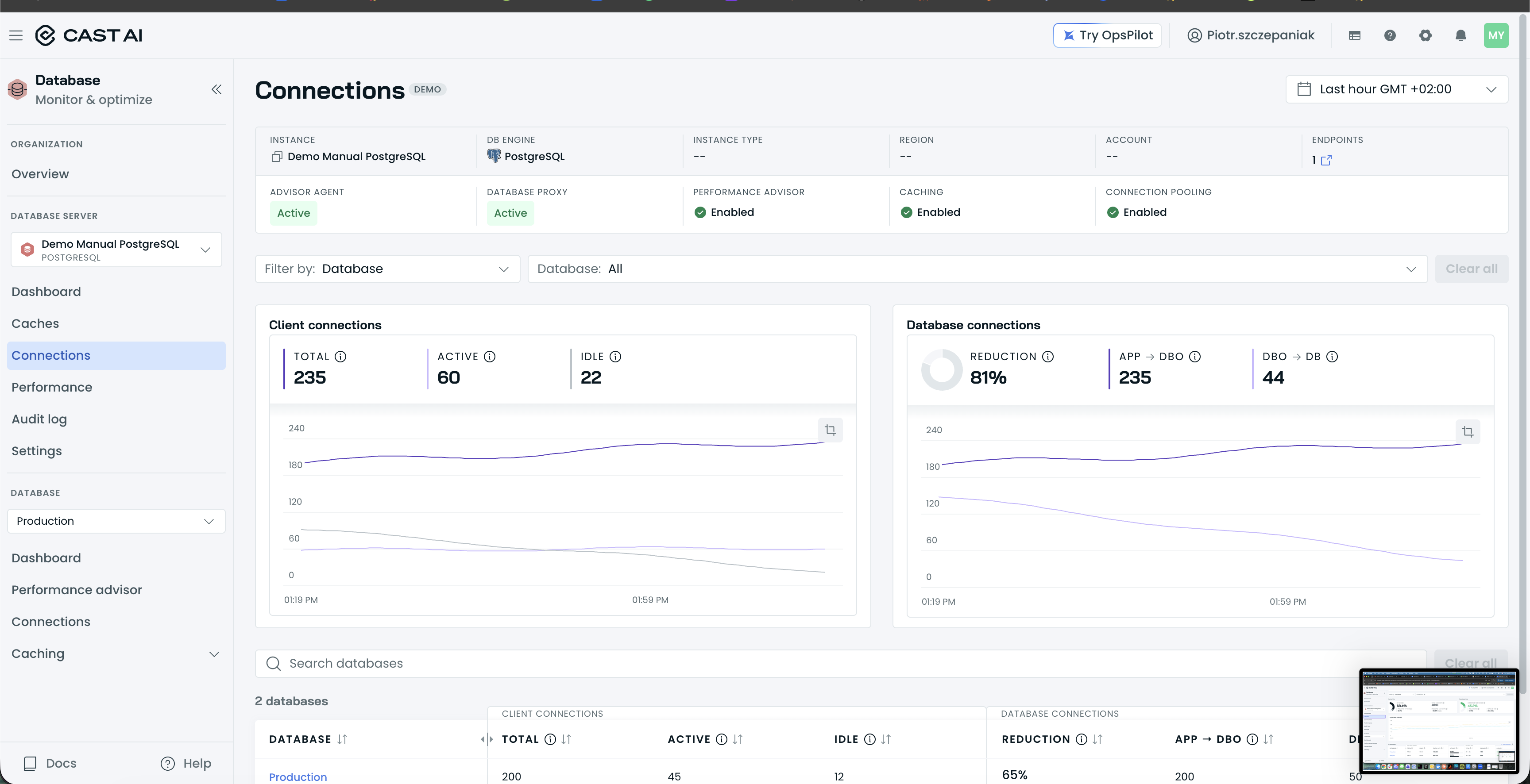
The instance Connections tab, with the Client connections and Database connections cards and the per-database table.
Below the cards, a per-database table repeats the same metrics for each database: CLIENT CONNECTIONS (Total, Active, Idle) and DATABASE CONNECTIONS (Reduction, APP → DBO, DBO → DB). Use Search databases and Clear all to filter it.
Database Connections tab. The same two cards scoped to a single database, with Filter by: Database user so you can see which application users hold the connections.
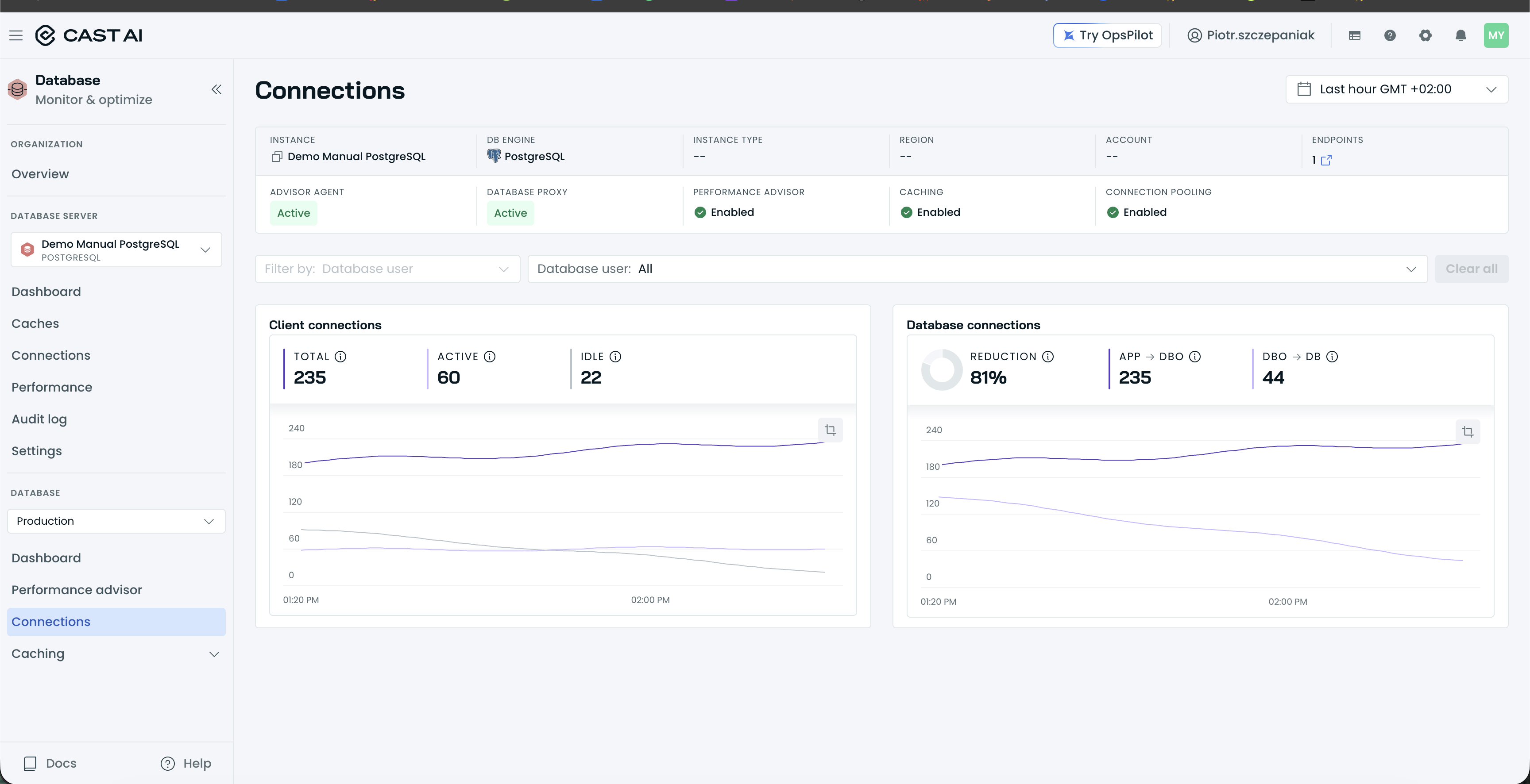
The database-level Connections tab, with the same cards scoped to one database and the Database user filter.
Dashboards. The instance dashboard shows a Connections card per database ("Connections are optimal", Connection reduction 65%, APP → Proxy 200, Proxy → DB 50, View connections detail →); the database dashboard shows the same values on its Connection pooling card.
Managing pooling
Pooling runs through the Database proxy component. On the instance Settings page, the Database proxy card shows Active, and its nested Connection pooling card shows Enabled with a Disable action.
Enabling connection pooling is a deployment change, not a UI-only switch: DBO redeploys its components with the pooler added as its own Kubernetes Deployment (PgDog for PostgreSQL or ProxySQL for MySQL). Once the redeployment completes, the Connection pooling card shows Enabled.
Because pooling runs through the database proxy, your applications must connect to a DBO proxy endpoint rather than directly to the database; see Connecting client applications.
Pooling engines
The pooler runs as its own Kubernetes Deployment:
- PostgreSQL is pooled by PgDog, a transaction-mode pooler. Transaction-mode multiplexing is efficient but has application compatibility constraints; review the PostgreSQL page before enabling it.
- MySQL is pooled by ProxySQL, which is transparent to your application and has no compatibility constraints; see the MySQL page for configuration.
Next steps
Updated 3 hours ago