

Connecting client applications
Connecting an application to DBO requires exactly one change: point the application's connection string at the DBO proxy instead of at the database directly. The hostname becomes the DBO proxy endpoint, and the port becomes 5432 for PostgreSQL or 3306 for MySQL. The proxy speaks the native database wire protocol, so nothing else changes: any driver, language, or framework works unchanged, with no code, data model, or caching-logic modifications.
Where to find the connection details
In the console, open the instance's Settings page from the instance navigation and scroll to the Endpoints section, described as "Manage the upstream database endpoints used by the proxy." Click Go to configuration → to open the endpoint configuration, where the proxy hostname and port for your connection string are shown. The ENDPOINTS tile in the instance header shows how many endpoints are configured (for example, 1) and carries an external-link icon to the same configuration.
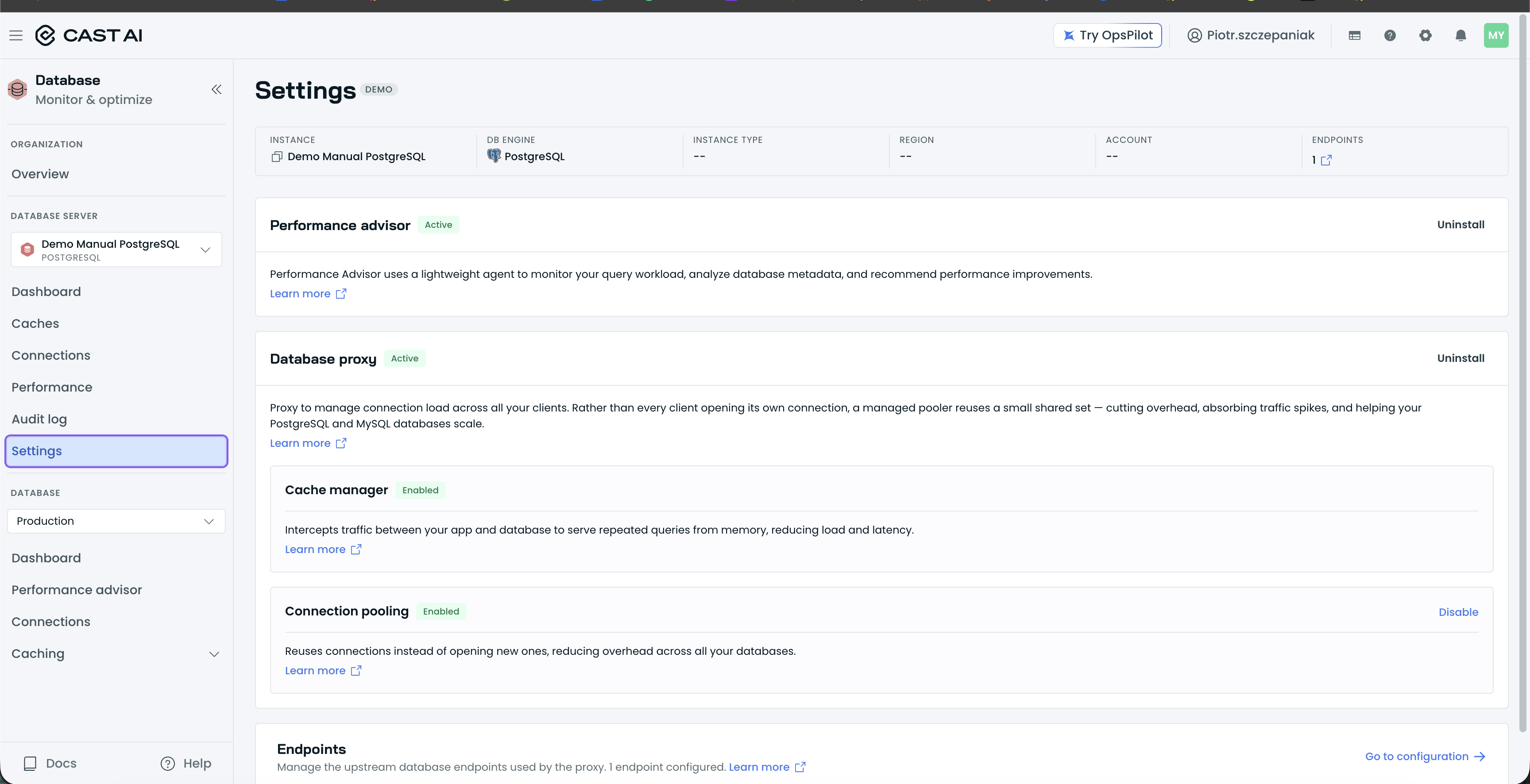
The instance Settings page, with the Endpoints section and its Go to configuration link.
psql "host=<proxy-host-or-ip> port=9010 user=dbuser dbname=dbname sslmode=require"What happens on first traffic
Once your application connects through the proxy, DBO detects the database automatically: it appears in the console on the instance Dashboard, alongside the instance's other databases (for example, "2 databases"), and monitoring starts immediately. Queries, execution time, and per-feature metrics populate as traffic flows.
Newly detected databases start in passthrough mode: the proxy forwards all traffic unchanged while DBO observes your workload and projects what caching would achieve. Those are the projected HIT RATE and PROJECTED CACHE HITS figures you can compare against once caching is on. When you're ready, switch the database's CACHE MODE to Auto to start serving reads from the cache; see Auto vs. Manual mode and override rules.
Endpoints
A DBO proxy deployment exposes exactly two endpoints, no matter how many database instances sit behind it: one for read-write traffic and one for read-only traffic. There is no endpoint per database instance. Point your application's connection string at the read-write endpoint for writes, and at the read-only endpoint for read-only workloads.
Behind each endpoint, the proxy load-balances connections across your database instances round-robin and handles failover itself: health-check probes continuously verify each instance, and an unhealthy instance is removed from the load balancer until it recovers, so your application never has to choose between database hosts.
If you want an application-level fallback for the proxy endpoint itself, see Application failover configuration. To cut the number of connections your application opens, see Connection Pooling.
Next steps
Updated 3 hours ago